
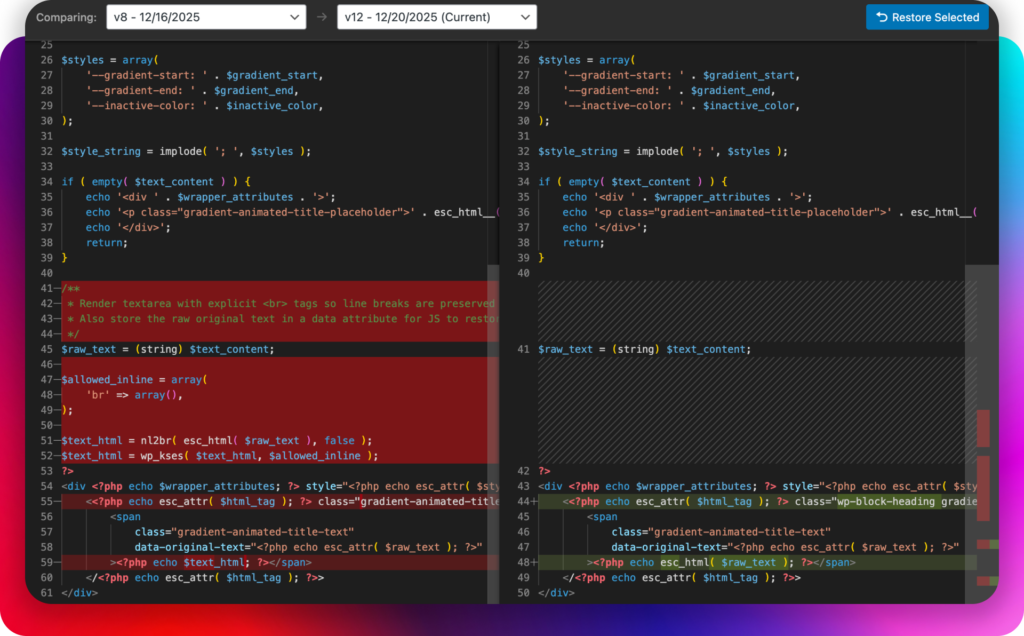
SurgeWP tracks version history per file within each block.
What that means in practice
If you modify a block, SurgeWP doesn’t just store “the block changed” — it tracks the file-level history so you can:
- Compare versions
- Restore a previous working state
- Iterate without fear of losing a stable implementation
Recommended workflow
- Make one meaningful change at a time
- Preview after each change
- If something breaks, restore the last known-good file version
- Then request a smaller, more specific adjustment
This is especially valuable in agency work where multiple revisions from multiple people can get messy.
Local file change detection
During your development phase you may find yourself working locally and tweaking the blocks css or functionality, in that instance we have built in local file change detection so next time you open up your block to make changes it will detect and sync any local changes back to the website so your custom development and AI development are always kept in sync.