How to get consistently good output
SurgeWP works best when you think like a developer and describe structure.
Use these building blocks in your prompts
- Field intent: “Make heading editable”, “Add optional subtitle”
- Repeaters: “Use a repeater field for cards”
- Conditional toggles: “Add a true/false field to show/hide X”
- Content types: “Icon as image upload”, “Icon as SVG textarea”
- Design constraints: “3 columns on desktop, 1 column on mobile”
- Consistency: “Use semantic classnames”, “Keep markup clean”
Avoid these common prompt pitfalls
- “Make it look nice” (too subjective)
- “Like Apple” (inconsistent and vague)
- “Pixel perfect” from a low-res screenshot (unrealistic)
- Not stating what needs to be editable (results in hardcoded content)
Best practice prompt pattern (copy/paste)
Use this format to keep prompts reliable:
Block purpose:
What the block is and where it’s used.
Editable fields:
List exactly what should be editable.
Repeaters:
Any repeated elements and what fields they contain.
Conditional logic:
Anything optional or toggle-based.
Layout expectations:
Grid, responsive, ordering, spacing, etc.
Custom prompting
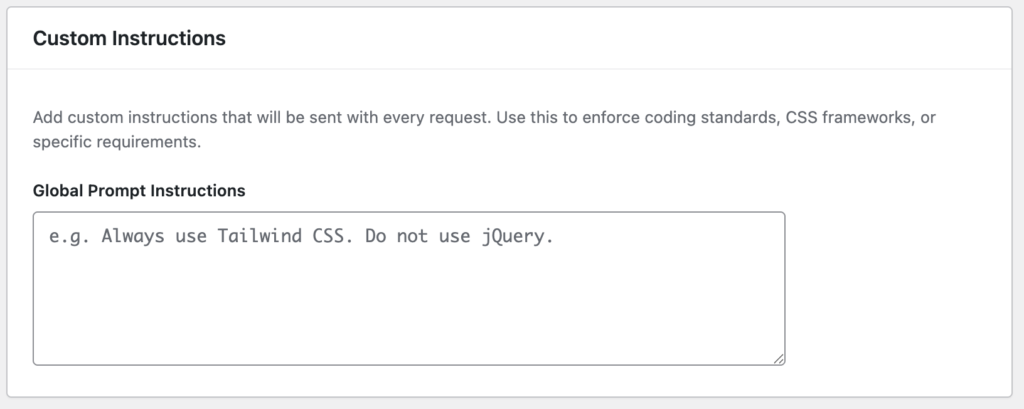
The Custom Instructions field lets you define a global set of rules that SurgeWP will automatically include with every AI request. Use this to keep outputs consistent across your team, enforce coding standards, and reduce “AI randomness” between blocks.
What it’s used for
Add instructions here when you want to consistently control things like:
- Coding standards (naming conventions, escaping, sanitization, WP best practices)
- CSS approach (Tailwind, BEM, Bootstrap, utility classes, or no framework)
- JavaScript rules (vanilla JS only, no jQuery, no inline scripts, etc.)
- Project conventions (preferred class prefixes, directory structure, partials/includes)
- Accessibility requirements (ARIA labels, keyboard nav, semantic headings)
- Performance constraints (no heavy libraries, avoid inline SVG, use SVG, etc.)
How it works
- The text you add here is appended to the prompt behind the scenes.
- It applies to all block generations, edits, fixes, and refactors that use AI.
- It’s best treated as your project “style guide” for AI output.
Best practices
- Keep it clear and strict, but not overly long.
- Avoid contradictions (e.g. “use Tailwind” + “don’t use utility classes”).